scan · visualize · clean

See where your Mac's
storage went.

DiskLens is a sleek disk space analyzer for macOS. Scan your drive, watch what's eating your space light up, and reclaim it — multi-select, search, sort, clean. All from a dark-themed web UI running locally on localhost:3847.

Get started View on GitHub
macOS only · Node.js 16+
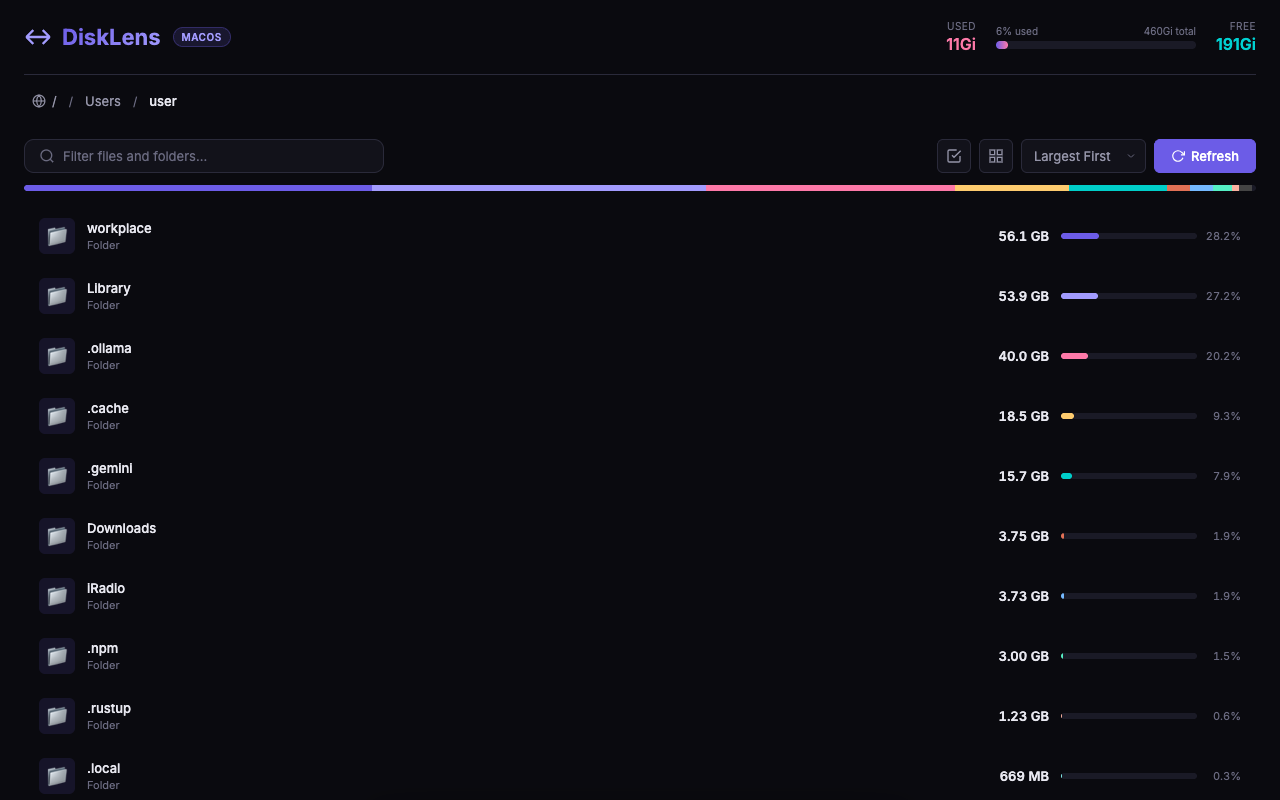
DiskLens — disk space overview

A finder-killer for storage.

Finder shows you folders. DiskLens shows you where your space actually went. Scans live on your machine — no uploads, no accounts, no telemetry — and leaves deletion firmly in your hands.

/01 — SCAN

Real-time, live-on-your-disk.

Node walks the filesystem directly — no indexing daemons, no waiting for Spotlight. Scans start instantly and stream results as they're measured, so big folders show up the moment they're found.

Downloads
41 GB
Library
28 GB
Movies
12 GB
Documents
6 GB
/02 — VISUALIZE

Colour-coded by size.

List view with proportional bars. Grid view for quick scanning. Breadcrumb navigation, search, sort — the usual Finder-ish moves, but built for "what's big."

/03 — CLEAN

Multi-select, Trash-first.

Select anything, delete in one click. By default items go to macOS Trash — fully recoverable via Finder. Permanent delete is a deliberate opt-in per action.

/04 — SAFE

Can't nuke your system.

Delete is restricted to files under your home directory. System paths are protected at the server layer — not just hidden in the UI. You can't accidentally remove /System or /Library.

+D · · /
/05 — KEYBOARD

Shortcuts for everything.

Arrow keys to navigate, / to search, ⌘D to delete, Enter to open. DiskLens is designed to be driven from the keyboard first — mouse if you want.
Live from GitHub.

DiskLens is a small Node.js app — vanilla JS on the front, Express on the back. Read it top to bottom, fork it, ship PRs. Stats below are pulled live from the GitHub API when the page loads.

NYOGamesCOM/DiskLens

Loading repo…

JavaScript MIT
Clone git clone https://github.com/NYOGamesCOM/DiskLens
Stars
Forks
Open issues
Recent activity · last 20 days
macOS · any recent version Node.js 16+ No other dependencies
macOS · Terminal
$ git clone https://github.com/NYOGamesCOM/DiskLens.git
$ cd DiskLens
$ npm install
$ npm start # open http://localhost:3847

Against the usual Mac disk tools.

There are older free options and slick paid ones. DiskLens sits where those don't — a modern dark-themed UI, genuinely open source, keyboard-first, and safe by construction.

DiskLens
DaisyDisk
GrandPerspective
OmniDiskSweeper
Price
Free · MIT
$10 one-time
Free · GPL
Free
Open source
✓ MIT
✓ GPL
Modern dark UI
✓ Web UI
✓ Native
Dated
Very dated
List + grid views
Both
Sunburst
Treemap
Columns
Multi-select delete
✓ Trash-first
Manual
Manual
Keyboard shortcuts
✓ Everywhere
Limited
Hackable / inspectable
✓ Vanilla JS
C++